Mac App Development

What I Learned During my Mac App Store Review

Two things happened on Thursday that made it obvious to me what I should write about this week. Mountain Lion was announced, and my first Mac App was approved for the Mac App Store.

Even though iDevBlogADay is about iOS programming, more and more of us are moving from iOS to the Mac. With the announcement that GameCenter will be coming to OS X, I’m guessing that more iOS developers might be thinking about coding for the Mac now than might have been last week.

So today I’m going to talk about my experience in getting my first App on the Mac App Store and specifically the differences in the approval process between the Mac App Store and the iOS App Store.

 8 min read

Steal This Code and Protect Their Data: Simplifying KeyChain Access

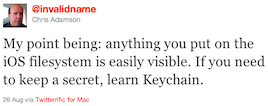
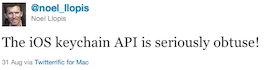
Invalidname Meet iPhone Explorer Invalidname Learn Keychain Noel Llopis Keychain is Obtuse


##The Code

The last couple of months, I’ve been working on my first Mac App (more on that in a later post).  As part of this App, I’m calling a REST API that requires that I have the user’s password for that service to use in the API calls.  Although that API is a minor part of the App, and although the service doesn’t have horrible consequences if someone gets the user’s password for it (in my opinion at least), there was no way I was going to store that password on disk unencrypted.  After all, users have a bad tendency to use the same password for multiple services, and one of those other services might contain important information.

 4 min read

Not Feeling Entitled So Far (Sandbox or Dropbox, Pick Only One)

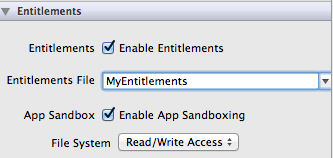
After reading this useful post, I thought I would take a few minutes and enable entitlements on my current Mac App project, just to see how it went.

Entitlements Screen Shot

I thought I’d take a minute and blog about what I learned, both so I remember the next time I want to do this, and because I didn’t find any resources out there that explained some of this, so I had to do trial-and-error on some of it.  (Specifically, I only got one Google hit for “com.apple.security.temporary-exception.files.home-relative-path.read-only”, and that was the Sandboxing guide, which tells you what it’s for, but nothing about how to actually use it).

 3 min read